

In-game Inspector
The In-game Inspector lets an admin type /inspector in game to browse every clothing piece on the server with a picture, put pieces on, flip through colours, compare men and women, and check that the game loaded every pack the way your files say.
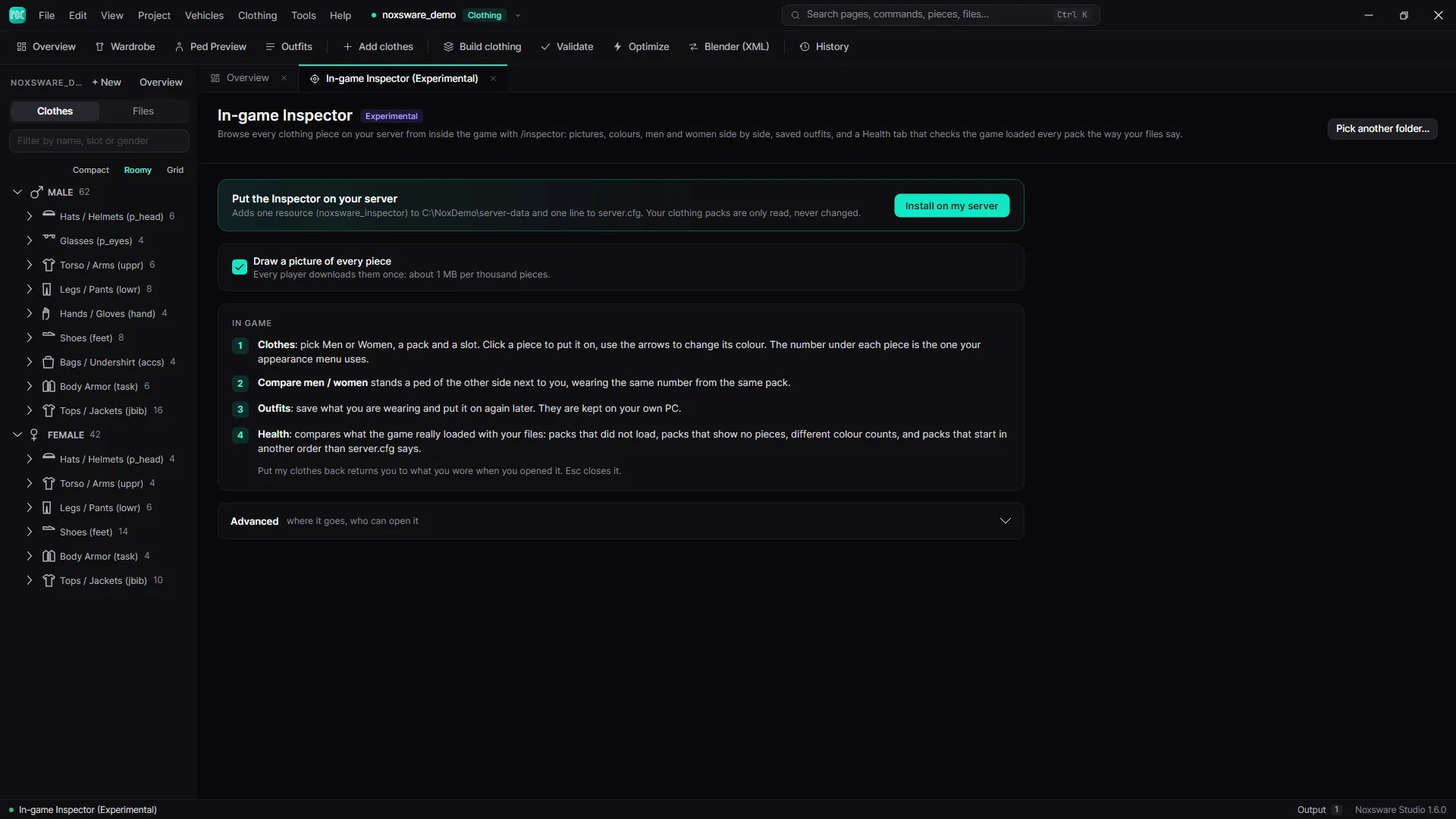
Put it on your server
Section titled “Put it on your server”- Open Tools → In-game Inspector (Experimental). You can also find it on Build clothing.
- The page finds your server from the open clothing project. If it doesn’t, click Pick folder… and pick the folder that holds
server.cfg(or its resources folder). - Choose whether to tick Draw a picture of every piece. Every player downloads the pictures once: about 1 MB per thousand pieces.
- Click Install on my server.
- Restart your server.
The studio adds one resource, noxsware_inspector, and one ensure line to server.cfg. A copy of the old server.cfg is kept beside it. Your clothing packs are only read, never changed. If server.cfg can’t be changed, the page shows the line to add yourself.
Use it in game
Section titled “Use it in game”Type /inspector in the chat.
| Part | What it does |
|---|---|
| Clothes | Pick Men or Women, a pack and a slot. Click a piece to put it on; use the arrows to change its colour. The number under each piece is the one your appearance menu uses. |
| Compare men / women | Stands a ped of the other gender next to you, wearing the same number from the same pack. |
| Outfits | Save what you are wearing and put it on again later. Outfits are kept on your own PC. |
| Health | Compares what the game really loaded with your files: packs that did not load, packs that show no pieces, different colour counts, and packs that start in another order than server.cfg says. |
Choose who can open it
Section titled “Choose who can open it”Anyone with the command (or command.inspector) permission can open it. The default server.cfg gives that to admins.
To let every player open it, for example on a test server, add this line to server.cfg:
set noxsware_inspector_everyone trueKeep it up to date
Section titled “Keep it up to date”Click Update its list after you add, remove or change clothing packs, so the Inspector’s list and pictures match the server. Installing again replaces its folder completely, so don’t edit files inside it. Open its folder shows where it is.
Take it off the server
Section titled “Take it off the server”Click Take it off the server and confirm. The studio deletes the noxsware_inspector folder and takes its line out of server.cfg (a copy of server.cfg is kept). Restart the server to finish. Outfits players saved with it stay on their own PCs.
Good to know
Section titled “Good to know”- The Inspector never changes your clothing packs or your database. It only reads what the game loaded, on each player’s own PC.
- What it knows on the right lists each pack and its number of pieces, with not started on packs
server.cfgdoesn’t start.
Next: Server check for the whole server.