

Interior files (ytyp)
A .ytyp tells the game how big each model is, how far away it still shows, which textures it uses, and, for an interior, which models stand in which room. Wrong values mean props that pop out of view too early, culled models, or invisible interiors.
Open an MLO project, then Interior files in the toolbar. The page has two modes: Check & fix and Make a ytyp.
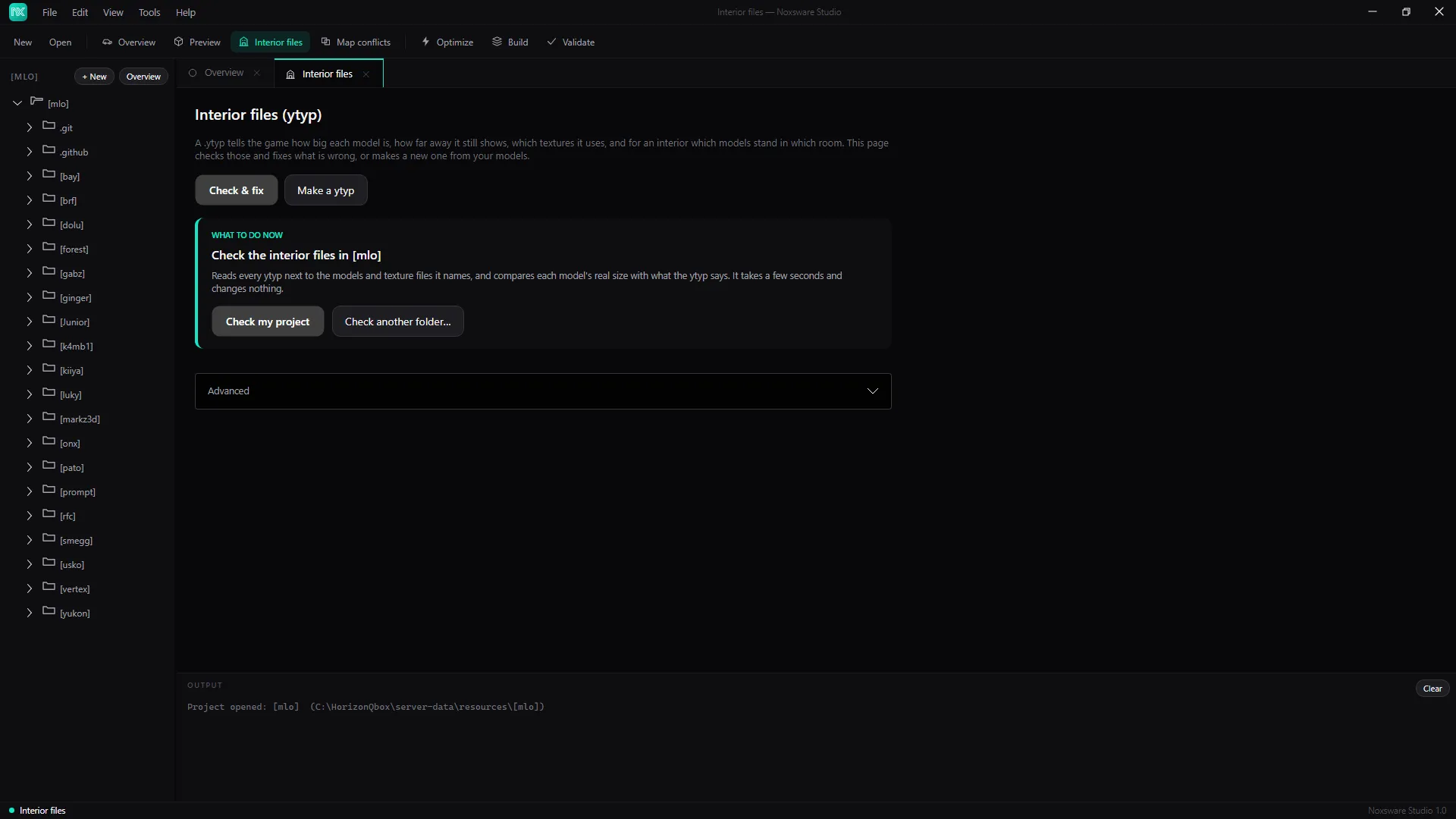
Check & fix
Section titled “Check & fix”- Click Check my project (or Check another folder…). The studio reads every ytyp, the models and textures it names, and compares each model’s real size with what the ytyp says. It changes nothing.
- Read the result. Problems come in groups:
| Group | Fixed for you? |
|---|---|
| Size box does not match the model | Yes, ticked by default. The size is copied from the model. |
| Disappears too close (draw distance shorter than the model is wide) | Yes, ticked by default. Raised to fit. |
| Model not in this resource | Only if you tick it: the archetype is removed. Often fine (game models). |
| Models no ytyp here uses | Only if you tick it: hidden as .noxoff. |
| Texture files nothing here uses | Only if you tick it: hidden as .noxoff. |
| Two archetypes with one name | No. Rename one in CodeWalker. |
| Textures not in this resource | No. Often game textures. |
| Heavy textures (over 16 MB) | No, but Optimize… sends them to Optimize. |
Each group explains when it’s safe to leave alone. Look before ticking the unticked ones.
- Click Fix N ticked and confirm. Changed ytyps are edited in place; lights, doors and effects in them are kept. A
.noxbakcopy is kept of each ytyp the first time it’s changed. - Restart the resource (or the server) and walk through the interior.
Advanced → Undo last fix… puts every changed ytyp back and brings back every hidden file.
The Texture memory card lists the interior’s textures by video memory, biggest first, with Optimize the N biggest (over 4 MB)….
That button optimizes the files in place, keeping each original as .noxbak. See Optimize.
Make a ytyp
Section titled “Make a ytyp”Switch to Make a ytyp when your models don’t have one yet.
- Pick models… (
.ydr,.ydd,.yft), or Use every model in the project. Each becomes an archetype, with its size read from the model and a draw distance that fits. - Set Name of the ytyp: lower case, no spaces. It’s also the file name.
- Optionally tick Also make an interior (MLO) that places these models, and set:
- Interior name: the name the
.ymapuses to place it. - Room name: every model goes into this one room. Split rooms later in CodeWalker if you need more.
- Entrance: a door frame or portal plane model. Its flat side becomes the portal that lets you see in from outside.
- Interior name: the name the
- Untick any model you don’t want, then Save ytyp….
Keep the ytyp in the resource’s stream folder: FiveM loads a streamed ytyp by itself. For props spawned by scripts, also add to the fxmanifest.lua:
data_file 'DLC_ITYP_REQUEST' 'stream/my_props.ytyp'An interior also needs a .ymap that places it in the world. CodeWalker makes one.