

Licenses and seats
Find a license
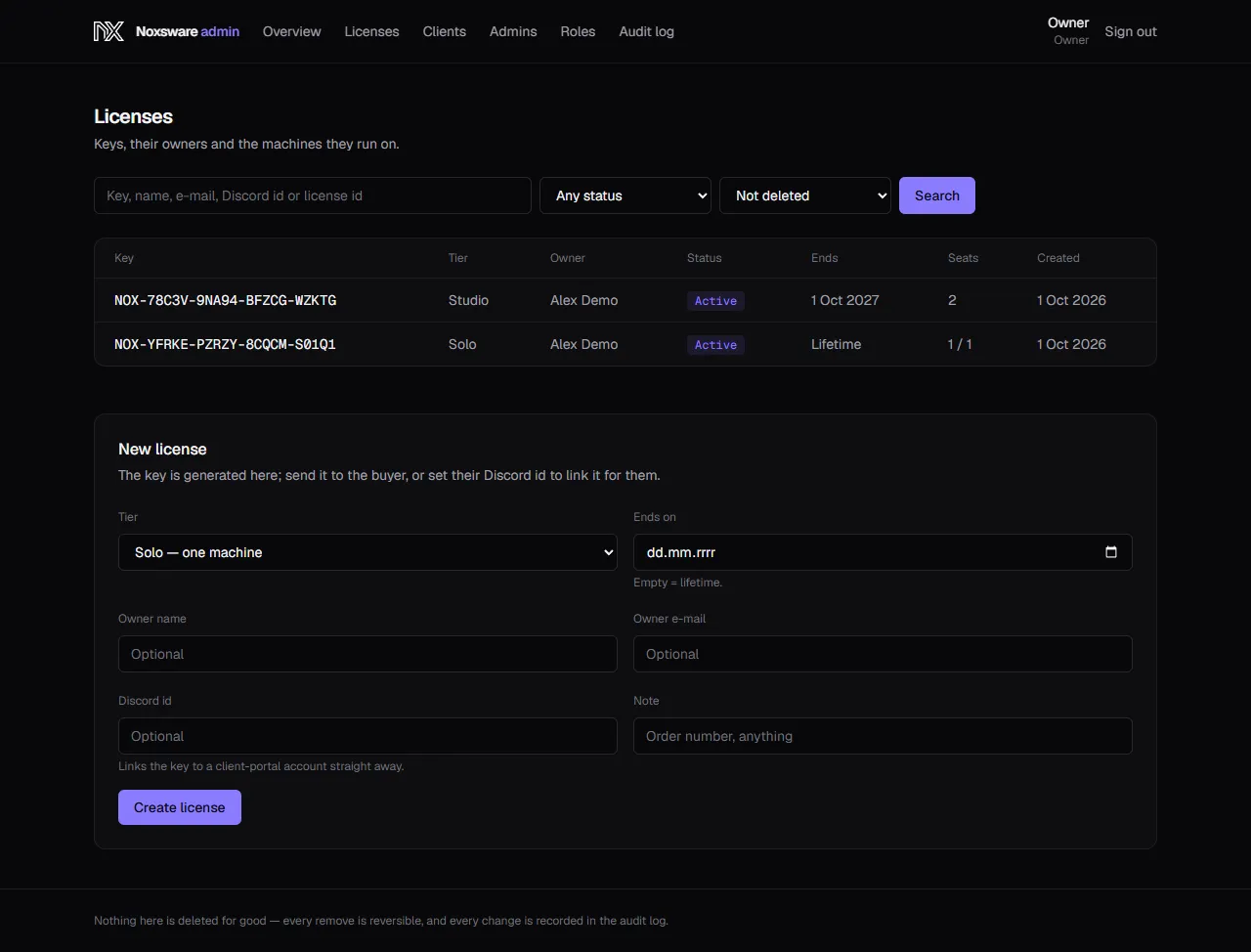
Section titled “Find a license”Licenses lists every key. Search by key, name, e-mail, Discord ID or license ID, and filter by status (Active, Expired, Revoked) and by Not deleted, Deleted only or Everything.
Grant a license
Section titled “Grant a license”Use this for giveaways, partners, or a sale made outside Stripe. Paid Stripe orders create their license by themselves.
- On Licenses, fill in New license:
- Tier: Solo — one machine or Studio — unlimited machines.
- Ends on: leave empty for lifetime.
- Owner name, Owner e-mail.
- Discord id: links the key to that person’s client-portal account straight away. Find it in Discord under Settings → Advanced → Developer Mode, then right-click the user → Copy User ID.
- Note: an order number, anything.
- Click Create license.
- You land on the license with Created. Send the key below to the buyer. Click Copy and send it. If you set the Discord ID, it’s already in their portal.
A license page
Section titled “A license page”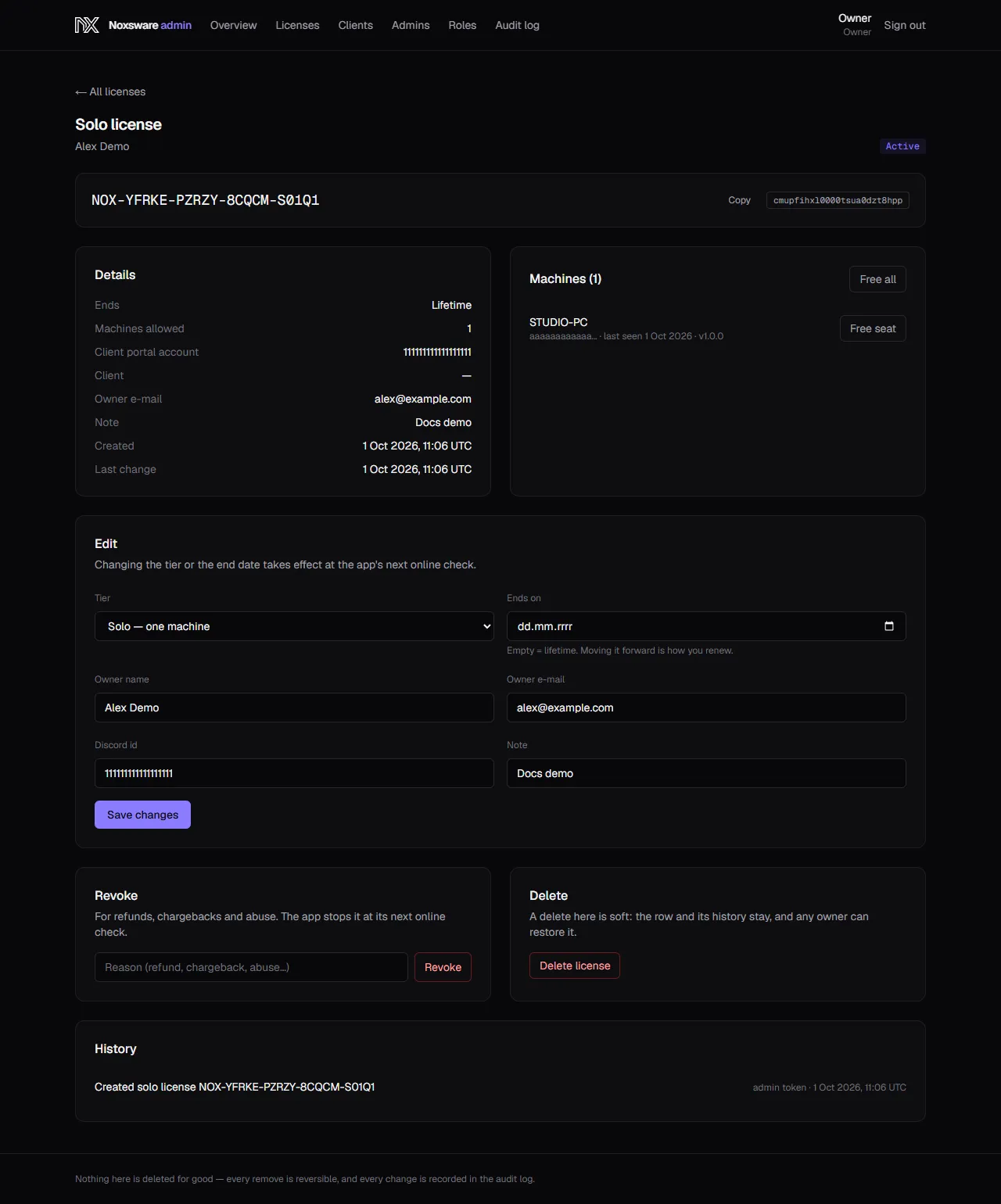
- Details: end date, machines allowed, the client-portal account it’s linked to, client, owner e-mail, note, created and last changed.
- Machines: each PC holding a seat, with Free seat. Free all frees every seat.
- Billing (Stripe licenses only): the subscription, plan, renewal date and whether it is cancelling. Stripe owns these; change them in Stripe, not here.
- History: every change to this license.
Renew or change
Section titled “Renew or change”In Edit, change the tier or Ends on and click Save changes. Moving Ends on forward is how you renew a non-Stripe license. Changes reach the customer’s studio at its next online check.
Downgrading Studio to Solo keeps the machines that are already activated; it only stops new ones.
Free a seat
Section titled “Free a seat”Click Free seat next to the machine (or Free all). Use this when a Solo customer lost the old PC and can’t reach the portal. The freed PC stops working at its next online check.
Revoke
Section titled “Revoke”For refunds, chargebacks and abuse. Type a reason (e.g. refund) and click Revoke. The studio stops working at its next online check, at the latest within 7 days. Un-revoke gives the license back.
Stripe revokes and un-revokes subscription licenses by itself when payments fail or recover. It never lifts a revoke made by hand.
Delete and restore
Section titled “Delete and restore”Delete license stops the key immediately and frees its seats. The row is kept: Restore license on the same page brings it back. Use Deleted only on the list to find deleted keys.
Licensing at a glance
Section titled “Licensing at a glance”- Keys look like
NOX-XXXXX-XXXXX-XXXXX-XXXXX. The last character is a check character, so typos are caught in the app. - Solo: 1 machine. Studio: unlimited.
- The studio confirms the license on every start and works offline for 7 days between confirmations.