
The free plan
Without a license key, Noxsware Studio runs on the free plan. You can look at, check and fix your files, and build up to 8 FiveM resources on each computer. This page lists what is free, what needs a plan, and how to upgrade.
Start on the free plan
Section titled “Start on the free plan”When the studio opens the Activate Noxsware Studio window, click Continue free. The studio remembers the choice and opens straight away next time.
If your subscription ends, or a key stops working, the same window offers Continue free too. Your projects stay as they are.
What works without a key
Section titled “What works without a key”- Every project kind: clothing, vehicles, MLOs and animations. Open, browse and edit your packs.
- Ped Preview and Preview for vehicles, interiors and any model, with the freemode peds.
- Validate, Server limits and the other checks, including the whole-server Server check.
- Duplicate clothing.
- Blender (XML), the converter to and from CodeWalker/Sollumz XML.
- History: undo and redo every change.
- Optimize shows what it would save.
- Texture Studio: paint, try things out and export a PNG.
- Shop details: you can see each piece’s label, price, shop and tags.
- 8 FiveM builds on this computer (see below).
The 8 free builds
Section titled “The 8 free builds”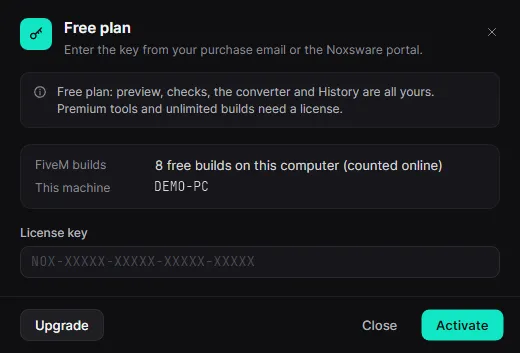
Every build with Build clothing or Build uses one free build. The build pages show how many are left, for example Free plan · 5 of 8 free builds left. A license gives unlimited builds. Help → License… shows the same count.
- The count belongs to the computer, not to a project. Reinstalling the studio does not reset it.
- Builds are counted online. Offline, the studio counts them on the computer and reports them the next time it is online. It never gives you more builds offline than were left at the last online count, and none if it has never been online.
- When the builds run out, the studio shows No free builds left with Upgrade and Enter a key….
What needs a plan
Section titled “What needs a plan”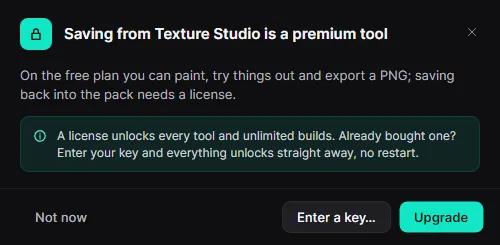
Premium tools show a padlock on their button, or (Premium) after their name in a menu. You can still click them: the studio explains what the free plan can do and offers Upgrade.
| Premium tool | On the free plan |
|---|---|
| Unlimited FiveM builds | 8 builds on this computer |
| Saving from Texture Studio | Paint, try things out and export a PNG |
| Saving optimized files | Optimize shows what it would save |
| Live edit in your picture editor, and Edit in Blender… | Not available |
| The Animation creator | Not available |
| Editing shop details (label, price, shop, tags) | Shown, not editable |
| Colourways, and normal/spec maps | Not available |
| The Ped Library: dressing GTA or add-on peds in Ped Preview | The freemode peds |
| Team sharing | Studio plan only |
Solo or Studio
Section titled “Solo or Studio”Both plans unlock every tool and give unlimited builds. The difference is how many computers you use:
| Solo | Studio | |
|---|---|---|
| Machines | One at a time | Unlimited |
| Team sharing | No | Yes |
| Monthly | €9 | €24 |
| Yearly | €79 | €199 |
In the app, Solo shows as Tier 1 — one machine and Studio as Tier 2 — unlimited machines. See Plans and billing.
Upgrade
Section titled “Upgrade”- Click Upgrade in Help → License…, on a build page or in a premium tool’s prompt. It opens noxsware.com.
- Buy a plan in the client portal. The key shows up there straight away.
- In the studio, open Help → License… (or Enter a key… in the upgrade prompt), paste the key and click Activate.
Everything unlocks at once. You don’t need to restart.