

Build a resource
Build packages files into a FiveM resource. Use it for vehicles, props and maps. For clothing, use Build clothing, which also writes the clothing metadata.
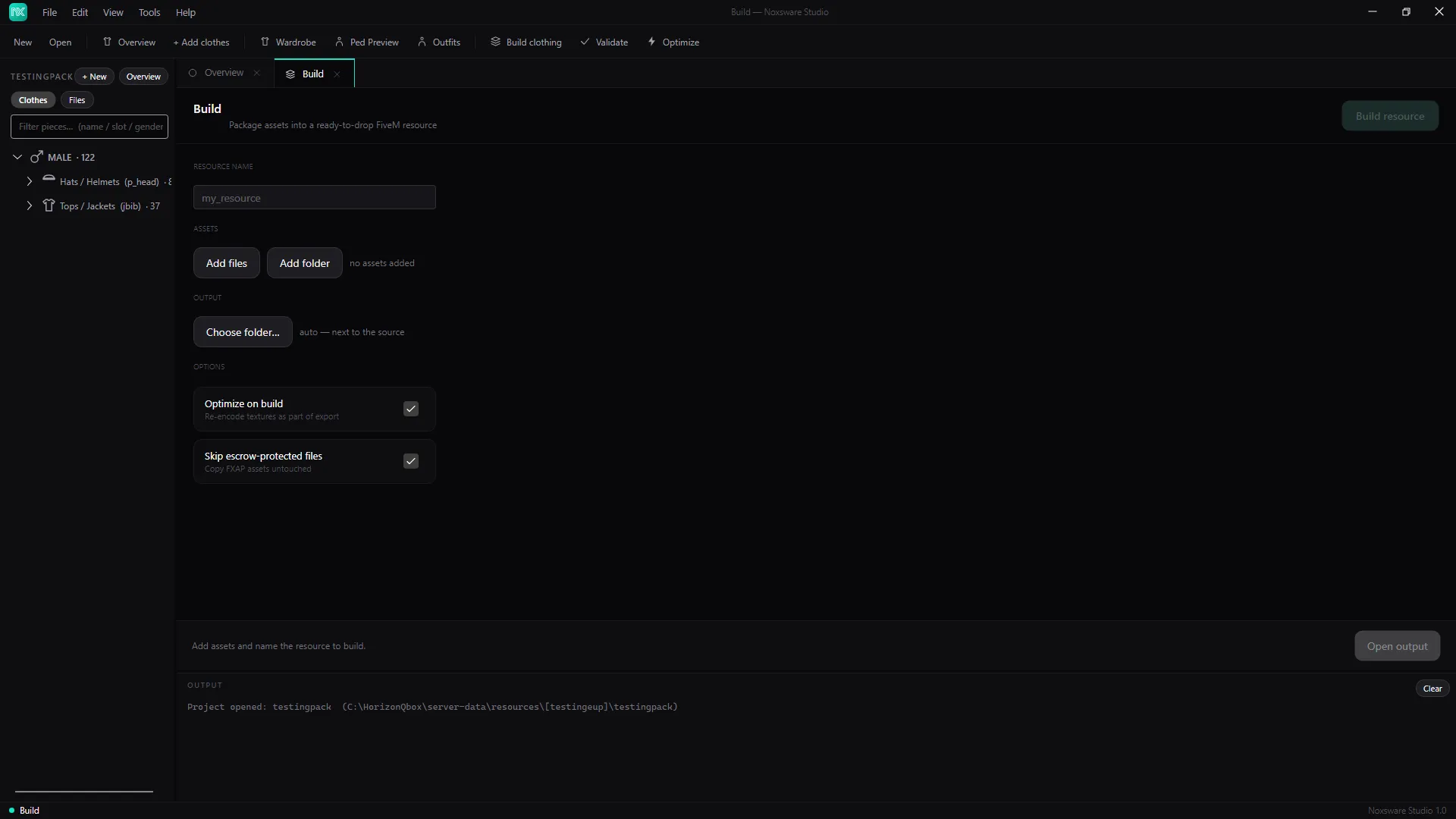
- Type the Resource name, e.g.
my_resource. - Under Assets, click Add files or Add folder.
- Under Output, click Choose folder….
- Options:
- Optimize on build: re-encode textures as part of the export (see Optimize).
- Skip escrow-protected files: copy escrow (FXAP) assets untouched instead of trying to process them.
- Build.
The result is <output>\<name>\ containing stream\ and fxmanifest.lua. Copy it into your server’s resources folder and add ensure <name> to server.cfg.