

Activate your license
The first time you start Noxsware Studio on a PC, it asks for your license key.
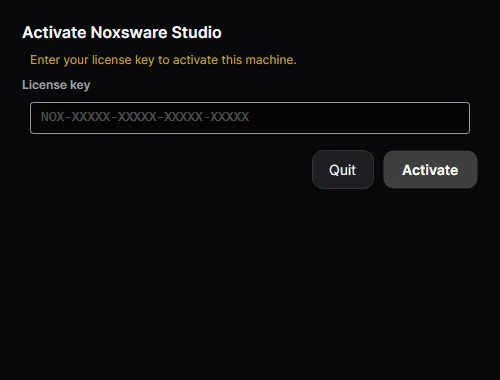
- In the client portal, click Copy next to your key.
- Paste it into License key and click Activate (or press Enter).
The studio contacts the licensing server once, registers this PC as one of your machines, and opens. From then on you never need the key on this PC again.
Working offline
Section titled “Working offline”After activation the studio checks your license in the background each time it starts. If you are offline, it keeps working, for up to 7 days since the last successful check. The License window shows how many days are left, for example offline — works for 5 more day(s) without a connection.
When the 7 days run out, the studio asks you to reconnect:
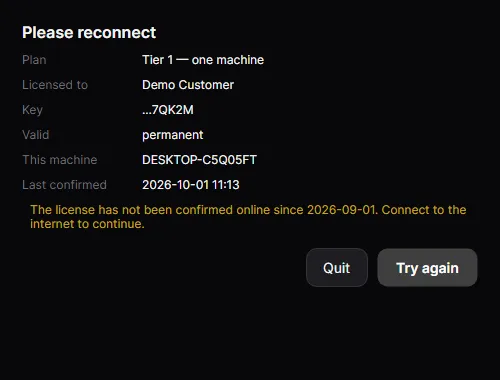
Connect to the internet and click Try again. If our server is the one that’s down, that counts as offline too. It never locks you out by itself.
The License window
Section titled “The License window”Open it any time from Help → License…
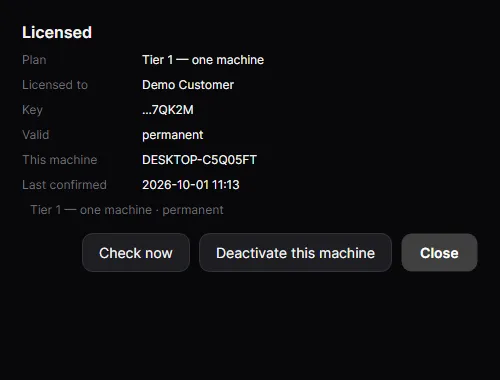
It shows your plan, who the license belongs to, the last group of your key, until when it is valid (“permanent” for lifetime licenses), this machine’s name, and when the license was last confirmed online.
- Check now confirms the license with the server immediately, for example right after you renewed.
- Deactivate this machine frees this PC’s seat so you can use the license elsewhere. The studio closes afterwards. To use it here again, activate with the same key.
When activation fails
Section titled “When activation fails”| You see | What it means | What to do |
|---|---|---|
| That is not a valid license key — check it for typos. | The key’s check character doesn’t match. | Copy the key from the portal instead of typing it. |
| That license key does not exist. | The key is well-formed but unknown. | Check you copied the whole key. Contact support if it came with a receipt. |
| This license is already in use on another machine… | Solo license, and another PC holds the seat. | Free that PC: Move to another PC. |
| This license has ended. Renew it to continue. | The subscription ran out or was cancelled. | Renew in the portal under Manage billing. |
| This license has been revoked. Contact support. | We switched the license off (refund, chargeback or abuse). | Contact us. |
| Could not reach the licensing server… | No internet, or a firewall blocks api.noxsware.com. |
Check your connection, then Try again. |
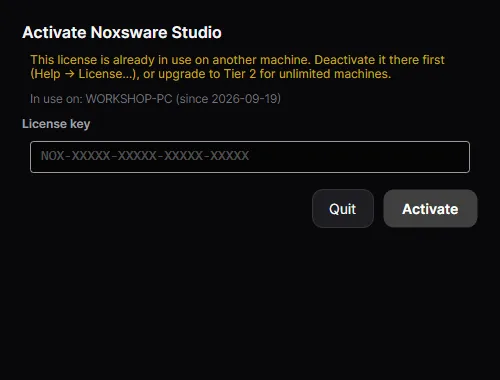
The full list is in Messages and what they mean.