

Settings
Open Tools → Settings.
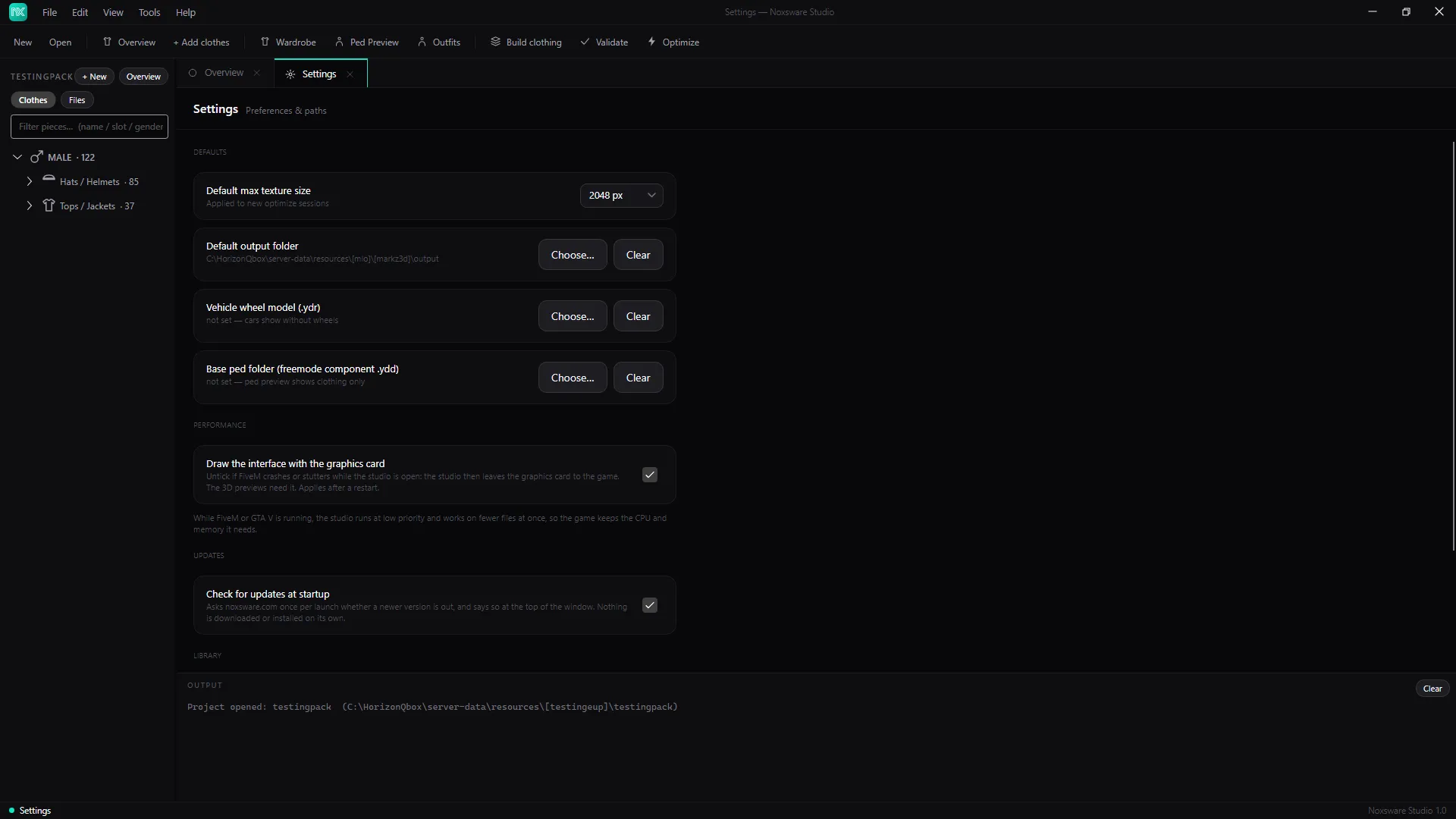
Defaults
Section titled “Defaults”| Setting | What it does |
|---|---|
| Default max texture size | 2048, 1024 or 512 px. Used by Optimize and builds unless you pick another size there. |
| Default output folder | Where Optimize and Build put their results. Clear goes back to “next to the source”. |
| Vehicle wheel model (.ydr) | A wheel model to show on vehicles in the 3D preview. |
| Base ped folder (freemode component .ydd) | Where the bare ped body for the clothing preview comes from. The studio normally finds it in your GTA V install by itself. Set this only if it didn’t. |
Performance
Section titled “Performance”Draw the interface with the graphics card. On by default, and the 3D previews need it. Untick it if FiveM crashes or stutters while the studio is open. It applies after a restart. With it off, the 3D previews show 3D preview is off… instead.
The studio also lowers its own priority while FiveM or GTA V is running, so you can leave it open while you test.
Library
Section titled “Library”Clear library empties the Library page. Your files are not deleted.
Updates
Section titled “Updates”Check for updates at startup (on by default). Asks noxsware.com once per start whether a newer version is out, and says so in a bar at the top of the window. Nothing is downloaded or installed on its own. See Update notice.
The studio’s version. Settings are stored in %AppData%\Noxsware\settings.json.