

Bulk flags
Tools → Flags sets the same flags on every piece in a scope, instead of one piece at a time.
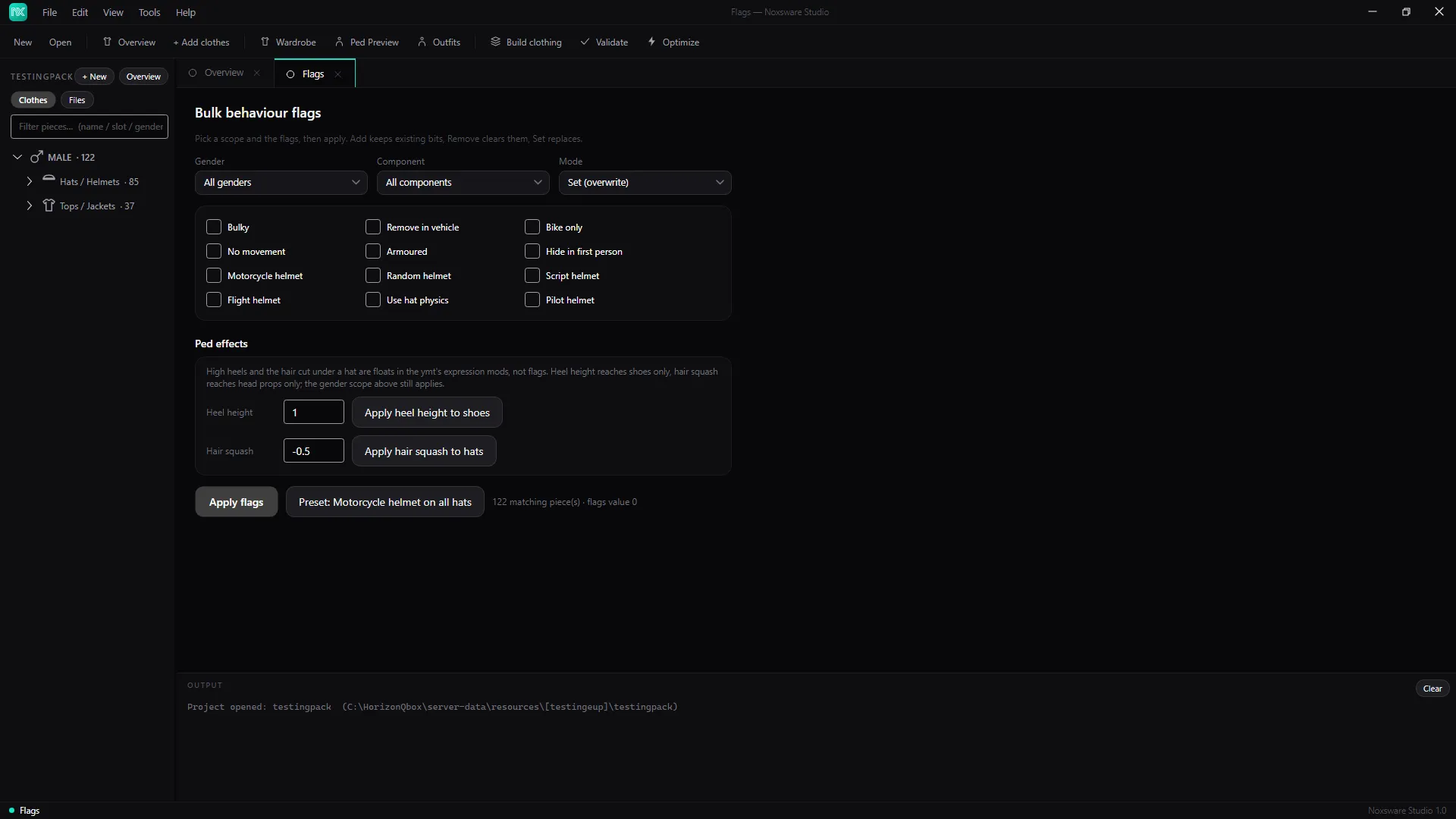
- Pick the scope:
- Gender: All genders, Male or Female.
- Component: All components, or one kind.
- Mode: Set (overwrite) replaces each piece’s flags; Add keeps existing flags and adds the ticked ones; Remove clears the ticked ones.
- Tick the flags. They’re the same as on the piece page.
- Click Apply flags.
Preset: Motorcycle helmet on all hats is a one-click shortcut for a common fix.
Ped effects
Section titled “Ped effects”- Heel height (0 to 2, default 1) → Apply heel height to shoes.
- Hair squash (−1 to 0, default −0.5) → Apply hair squash to hats.
These two are written into the pack’s .ymt straight away, with a .noxbak backup.